Choosing a Waterproof Marine Stereo with CarPlay involves more than finding a screen that mirrors a phone. On a wet helm, salt spray, glare, vibration, and limited mounting space all shape daily performance. A stereo may sound impressive in a showroom yet prove awkward when the boat is moving and the display is beaded with water.
Industry sources help frame the decision. The NMMA’s U.S. Recreational Boating Statistical Abstract tracks boat ownership, sales, and participation, underscoring the scale and variety of boating environments these products serve. For water protection, IEC 60529 defines the IP code system used to describe resistance to dust and water. An IP rating is useful, but it does not replace careful installation or proper cover and connector care. Small details matter.
This guide compares ten marine stereos with CarPlay by checking water-resistance claims, screen visibility, controls, connectivity, sound options, and installation needs. It also separates manufacturer specifications from practical buying considerations, because a listed feature does not guarantee an equally smooth experience on every boat. I can’t responsibly attribute a quotation to a named marine-electronics expert without a verifiable source; no expert interview or source article was provided. That gap deserves attention, not a made-up quote.
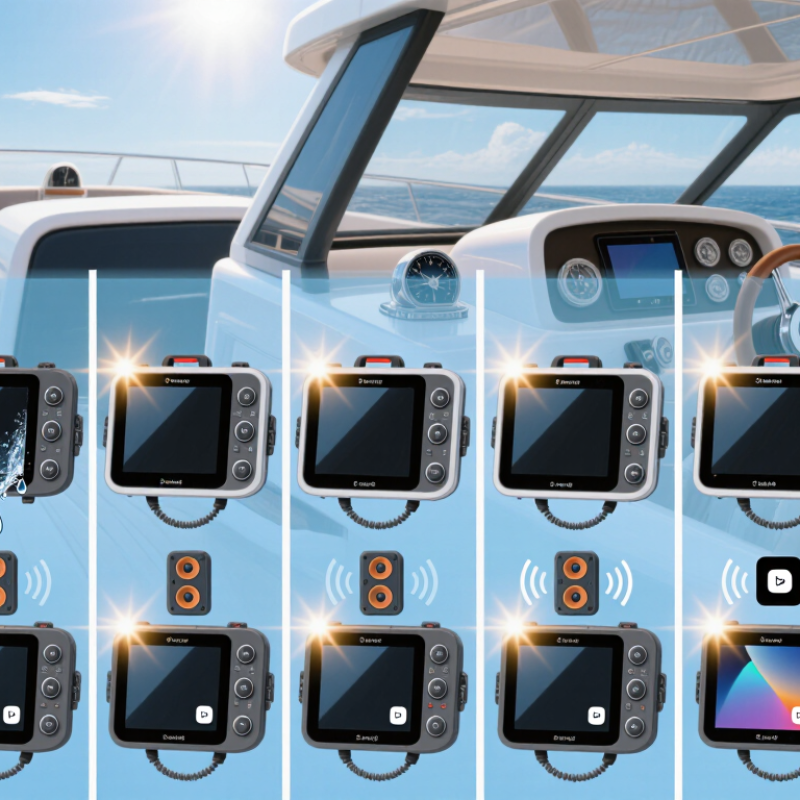
A waterproof marine stereo is built to handle spray, rain, and damp air, but the word “waterproof” needs context. Check its IP rating and the conditions tested. IPX6 covers powerful water jets; IPX7 indicates limited immersion under specified test conditions. Neither rating guarantees protection from every exposure, especially salt, sunlight, or aging seals. Details matter. Salt crystals can collect around buttons, while a loose mounting gasket may let water reach the dashboard.
Apple CarPlay brings familiar phone functions to a compatible stereo screen. Drivers can use supported navigation, calls, messages, and audio apps through touch or voice controls. Some receivers connect by cable; others offer wireless CarPlay. Wireless use is convenient, but it can draw more power from a phone. A steady USB connection may be simpler on a long day aboard.
Tips: Match the stereo’s rating to its mounting location, and protect exposed connectors with suitable covers. Confirm that the chosen CarPlay connection works with your phone. Leave room behind the unit for wiring, and inspect the gasket after installation. A quick rinse may help remove salt residue, but follow the care instructions. Not magic. Even marine-rated equipment benefits from regular checks, and a small installation mistake can matter more than a high rating.
Evaluate waterproofing and CarPlay as separate requirements. The IEC 60529 standard defines IPX7 as protection during immersion in up to one metre of water for 30 minutes. IPX6 tests resistance to powerful water jets. These ratings measure different exposures, so an IPX7 label alone does not prove a stereo can handle spray, salt, or years of sun. Check the manufacturer’s installation notes, sealed connector design, and corrosion-resistant materials. A rating can look reassuring—sometimes too reassuring.
Test CarPlay before committing. Confirm whether it connects by cable or wirelessly, then check that the stereo supports your phone’s operating-system version. In a boat, engine noise and wet hands make voice control and large, readable controls especially useful. Ask how the unit behaves when the phone disconnects, and whether navigation audio remains clear at cruising speed. A quick dockside test is helpful, but it cannot fully reproduce vibration or interference underway.
Tips: Use the IEC 60529 rating as a starting point, not a complete marine durability score. Inspect the rear gasket and cable entry points, where water can sneak in. Keep a charging cable aboard, even with wireless CarPlay; it may be less convenient, but it can save a trip when batteries run low.
The top 10 waterproof marine stereos with CarPlay should be compared by fit, not screen size alone. A useful shortlist includes compact flush-mount units, larger touchscreen receivers, models with detachable displays, systems with wired CarPlay, wireless-CarPlay units, receivers with physical controls, units supporting multiple audio zones, models with separate amplifiers, receivers with camera inputs, and systems designed for simple helm upgrades. These are different setups, not a universal ranking. Measure the dash opening and check control visibility before buying.
Water resistance needs careful reading. IEC 60529 defines IPX7 testing as temporary immersion in water up to one metre for 30 minutes; that rating does not guarantee protection from salt, spray, or poor installation. Check the maker’s installation guidance and seal exposed connections. NMMA’s 2024 U.S. Recreational Boating Economic Impact Study estimated the industry’s annual economic contribution at $230.3 billion, reflecting how central boating is to many households. Yet a costly stereo can still disappoint if sunlight washes out its screen or wet fingers miss small controls. I would weigh glove-friendly buttons and clear audio at cruising speed above flashy menus. A little caution helps.
What Are the Top 10 Waterproof Marine Stereos with CarPlay?
Comparing Features, Compatibility, and Installation Requirements
A useful comparison starts with the boat, not the feature list. Check each stereo’s stated water-resistance rating and whether its face, ports, and remote controls share that protection. Salt spray, rain, and wet fingers can expose weak points quickly. CarPlay may connect by cable or wirelessly, but phone compatibility and connection stability vary. Also compare screen readability in bright sunlight, physical buttons, audio-zone controls, and support for external amplifiers or speakers. A long feature list matters less if the display is hard to see at the helm.
Installation can change which models make sense. Measure the dashboard opening and space behind it; a shallow panel may not fit a deep receiver. Confirm the required voltage, wiring connections, antenna placement, and access to a suitable USB port or wireless signal. Existing speakers may need different connectors or an amplifier, so inspect them before buying. Wiring near damp areas deserves careful sealing. Small details are easy to miss.
Tips: Photograph existing wires before removal. Check the manual’s cutout dimensions, not just the front-panel size. Test CarPlay and audio at the dock before securing the unit. It saves rework.
Choosing the right marine stereo starts with the boat, not the feature list. Measure the dashboard opening and check mounting depth before comparing CarPlay options. A shallow console may reject a full-size receiver. Salt wins eventually, so look for a marine-rated unit with sealed controls and corrosion-resistant connections. Confirm whether CarPlay requires a cable or supports wireless pairing, then test phone access where you actually steer.
Power and visibility matter underway. Compare continuous RMS output, not just peak wattage, and match it to your speakers. Consider separate audio zones if sound needs to reach both the cockpit and swim platform. The IEC 60529 standard defines IP protection ratings, but water resistance alone does not prove resistance to salt corrosion or sun exposure. NMMA’s 2024 Industry Statistics estimate that about 85 million Americans go boating annually; frequent use makes simple controls and dependable installation worthwhile.
Tips: Check the stereo’s specified water rating and installation instructions, and keep connectors protected from spray. Measure twice. Test CarPlay with the phone stored safely, not balanced beside the helm. A bright display helps, but glare can still make small text frustrating.
These are ten practical marine-stereo configurations to compare, not named or ranked products. Water-resistance ratings and CarPlay features vary by model; check the specifications for the exact unit. An IPX6 rating indicates protection against powerful water jets, while IPX7 indicates protection against temporary immersion under defined test conditions. A front-panel rating does not necessarily mean the entire unit can be submerged.
| No. | Stereo configuration | Display and installation | CarPlay connection | Water protection to verify | Audio and connectivity considerations | Best suited to | Check before buying |
|---|---|---|---|---|---|---|---|
| 1 | 7-inch touchscreen marine receiver | Fixed touchscreen; confirm the cutout dimensions and required clearance behind the mounting surface. | Wired CarPlay; typically requires a compatible iPhone connected by USB. | Look for a stated rating for the front panel, such as IPX6; confirm which parts are covered by the rating. | Check the number of speaker outputs, preamp outputs, USB ports, and Bluetooth support. | Boats with a console that has room for a larger touch display. | Screen visibility in sunlight, glove usability, USB placement, and whether the supplied wiring reaches the installation location. |
| 2 | 7-inch touchscreen with wireless CarPlay | Large fixed display; installation may require more dashboard depth than a compact receiver. | Wireless CarPlay; setup and operation depend on the receiver and compatible iPhone. | Verify the stated marine rating and whether it applies to the display face, controls, or complete unit. | Wireless connections can depend on Bluetooth and Wi-Fi; check for a USB port for charging or wired use. | Helms where reducing cable clutter is a priority. | Wireless reconnection behavior, power draw, signal reception, and whether wired CarPlay is also supported. |
| 3 | 6.8-inch fixed-screen receiver | Mid-size touchscreen; confirm the mounting format because screen size alone does not determine fit. | Wired CarPlay on compatible configurations. | Choose a model with an explicitly stated water-resistance rating for marine use; do not assume a car receiver is waterproof. | Look for Bluetooth, a rear or front USB connection, and preamp outputs if adding an amplifier. | Consoles where a large display is useful but a 7-inch unit may not fit. | Exact chassis dimensions, screen tilt or viewing angle, and protection of any exposed ports. |
| 4 | 9-inch display with a separate receiver module | Large display paired with a remotely mounted control or receiver module; requires space and cable routing for both components. | Available configurations may support wired or wireless CarPlay; confirm the specific connection method. | Check the display and module ratings separately; a rating for one component does not automatically cover the other. | Useful when the main electronics can be mounted away from the display; verify cable length and extension options. | Large helm stations and installations where a separate module simplifies equipment placement. | Viewing angle, mounting hardware, cable routing, and whether the system supports the boat’s speaker setup. |
| 5 | Compact touchscreen marine receiver | Smaller display and chassis for a space-limited console; confirm screen dimensions as well as cutout size. | Wired CarPlay is a common option; check that the screen and software support the intended functions. | Look for a published marine-use rating and protected connectors or a suitable installation location. | Compare built-in amplification, preamp outputs, Bluetooth, and the number of available USB connections. | Small boats or consoles with limited mounting space. | Text readability, touch accuracy, and whether the reduced screen area is comfortable to use at the helm. |
| 6 | Flush-mount touchscreen with remote electronics | Low-profile display mounted in the console with a separate electronics module installed in a protected location. | CarPlay availability and wired or wireless operation depend on the system configuration. | Verify the display’s front-face rating and the installation requirements for the remote module. | Remote mounting can help keep the main module out of direct spray; allow for ventilation and service access. | Clean, integrated helm layouts with suitable space behind the console. | Required panel depth, gasket installation, cable length, and access to the module after installation. |
| 7 | Single-DIN-format receiver with a fixed touchscreen | Compact chassis format with a screen that may extend beyond the chassis; check the full installed dimensions. | Some configurations support wired CarPlay; confirm compatibility before purchase. | Automotive-style chassis dimensions do not guarantee marine protection; verify a stated marine rating. | Check whether the screen blocks nearby controls and whether the unit has suitable speaker or amplifier outputs. | Consoles designed around a compact receiver opening. | Screen clearance, sun exposure, splash protection, and compatibility with the boat’s existing wiring. |
| 8 | Marine receiver with an external CarPlay display | Separate display and receiver allow flexible placement, but require additional mounting and wiring. | CarPlay may be provided by the display system rather than by the receiver; confirm how audio reaches the stereo. | Check the water rating of both components and protect connectors from spray and corrosion. | Confirm the audio link between the display and receiver, such as a supported wired connection or Bluetooth. | Retrofitting a display into a boat with an existing marine audio system. | Compatibility between the display, iPhone, receiver, and audio-input method; avoid assuming separate components will integrate automatically. |
| 9 | Touchscreen receiver with built-in navigation support | Mid-size or large display; navigation features may depend on the receiver, an app, or a connected device. | CarPlay can display compatible iPhone navigation apps when supported by the receiver. | Look for a clearly specified marine rating and check whether the touchscreen is designed for outdoor exposure. | Consider GPS reception, audio zones, and compatibility with any existing marine speakers or amplifiers. | Boaters who want navigation and media controls on one display. | Chart or map availability, cellular coverage requirements for apps, screen brightness, and offline-use needs. |
| 10 | Marine receiver with external amplifier expansion | Choose a touchscreen size that fits the helm; the receiver may be paired with a separate amplifier. | Wired or wireless CarPlay depends on the receiver selected. | Verify the receiver’s water protection and install any separate amplifier in a dry, ventilated location. | Preamp outputs and amplifier compatibility matter when powering multiple speakers or adding a subwoofer. | Boats needing more audio output than a receiver’s built-in amplifier can provide. | Amplifier power requirements, speaker impedance, fuse sizing, wiring gauge, and available battery capacity. |
It indicates testing during immersion in up to one metre of water for 30 minutes. It is only a starting point.
No. Salt, powerful water jets, sunlight, and installation quality create different challenges. Check the seals and connectors.
Measure the dashboard opening and mounting depth. A shallow console may not fit a full-size receiver. Measure twice.
Confirm whether it connects by cable or wirelessly. Check phone compatibility and try it at the helm.
Engine noise, vibration, and interference can affect use underway. A dockside test helps, but it cannot reveal everything.
Large, readable controls and glove-friendly buttons are useful with wet hands. Small text can be frustrating in glare.
Yes. A cable can help when the phone battery runs low. Not elegant, but practical.
Compare continuous RMS output and match it to the speakers. Peak wattage alone may give an incomplete picture.
They can send sound to areas like the cockpit and swim platform. Whether you need them depends on your boat.
This guide explores what makes a Waterproof Marine Stereo with Carplay suitable for life on the water. It explains how water resistance differs from general durability and why features such as sealed controls, corrosion-resistant construction, and clear audio matter in a marine environment. It also outlines how Apple CarPlay can support convenient access to navigation, calls, and audio when paired with a compatible device, while noting that reliable connections and straightforward controls are important aboard a boat.
The guide then reviews ten marine stereo options, comparing their weather protection, CarPlay compatibility, connectivity, sound capabilities, and installation requirements. Since boats vary in layout, power systems, and available mounting space, the comparison highlights practical factors to check before choosing a unit. Readers can use these considerations to weigh convenience, durability, and ease of installation, then select a stereo that fits their vessel, listening preferences, and intended use.

Hisound carAudio